Alarm Display: A.850 Alarm Name: Encoder Over speed 1. Situation at Alarm Occurrence: Occurred when the control power supply was turned ON. Cause: When the encoder power supply turns ON and the SEN signal is ON when using an absolute encoder the servo motor runs at 200 min or more. Corrective Actions: Turn ON the… Continue reading about Alarm Display: A.850. Alarm Name: Encoder Over speed on Sony SI-F209 Electronic Part Mounter
Category Archives: SMT Machines MRO
Alarm Display: A.840 Alarm Name: Encoder Data Error 1. Situation at Alarm Occurrence: Occurred when the control power supply was turned ON. Cause: A malfunction occurred in the encoder. Corrective Actions: Turn the encoder power supply OFF and then ON again. If this alarm occurs frequently, replace the servomotor. Replace the SERVOPACK. Cause: A SERVOPACK… Continue reading about Alarm Display: A.840. Alarm Name: Encoder Data Error on Sony SI-F209 Electronic Part Mounter
Alarm Display: A.830 Alarm Name: Absolute Encoder Battery Error 1. Situation at Alarm Occurrence: When the control power supply was turned ON. (Setting:Pn002.2=1) Cause: When the absolute encoder was used as an incremental, a SERVOPACK board fault occurred. Corrective Actions: Replace the SERVOPACK. 2. Situation at Alarm Occurrence: When the control power supply was turned… Continue reading about Alarm Display: A.830. Alarm Name: Absolute Encoder Battery Error on Sony SI-F209 Electronic Part Mounter
Alarm Display: A.820 Alarm Name: Encoder Checksum Error 1. Situation at Alarm Occurrence: Occurred when the control power supply was turned ON or during operation Cause: A fault occurred in the encoder and was detected by encoder self-diagnosis. Corrective Actions: Set up the encoder. If this alarm occurs frequently, replace the servomotor. Cause: A SERVOPACK… Continue reading about Alarm Display: A.820. Alarm Name: Encoder Checksum Error on Sony SI-F209 Electronic Part Mounter
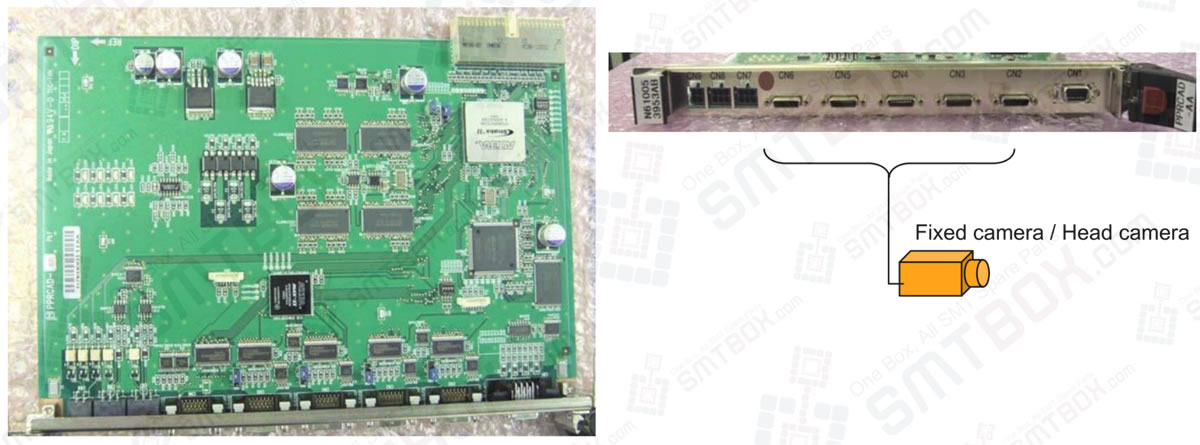
Name: Camera VF board (Model: PRCAD-AA Part No.: N610053953AB) Basic Specifications This board interfaces with the recognition modules such as cameras and line sensors. It has no CPU. As the recognition monitor function, the board transfers the image data captured by cameras to the CPU board (NBC JC154X-D5) via the internal bus. The data is… Continue reading about Camera I/F Board PRCAD-AA N610053953AB on Panasonic NPM SMT Machine

Alarm Display: A.810 Alarm Name: Encoder Backup Error 1. Situation at Alarm Occurrence: Occurred when the control power supply was turned ON. (Setting:Pn002.2=1) Cause: A SERVOPACK board fault occurred when an absolute encoder is used with the setting for incremental encoder. Corrective Actions: Replace the SERVOPACK. 2. Situation at Alarm Occurrence: Occurred when the control… Continue reading about Alarm Display: A.810. Alarm Name: Encoder Backup Error on Sony SI-F209 Electronic Part Mounter
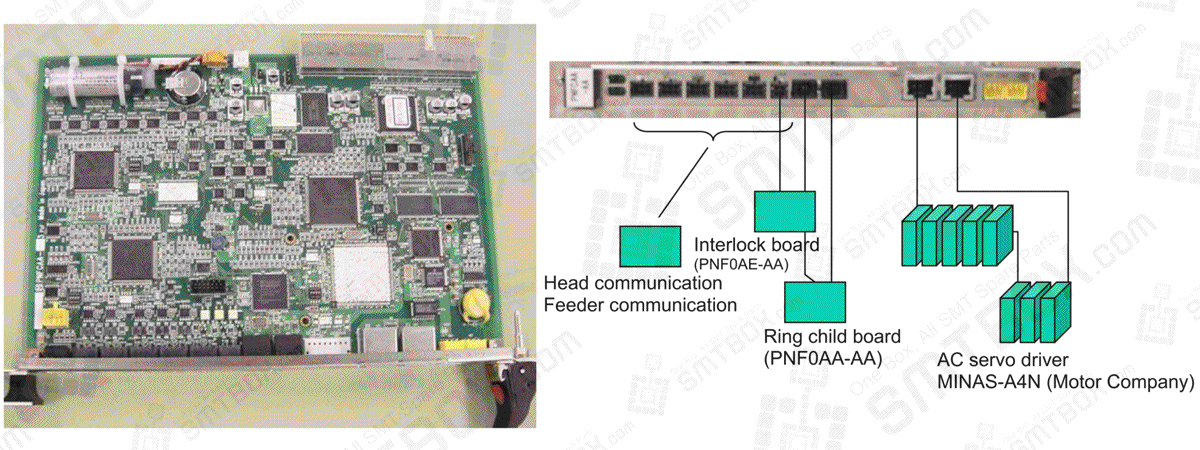
Name: Axis & I/O control board (Model: PNFCAA-CA// Part No.: N610065549AB) Basic Specifications This board controls NC axes and I/O signals with independent CPUs respectively. Axis control via RS422 communication. I/0 control via ring I/O, PFSC’s unique communication (optical communication) . (Units to be connected] =NOTE= Do not replace the battery when power is ON…. Continue reading about Axis & I/O Control Board PNFCAA-CA N610065549AB on Panasonic NPM SMT Machine
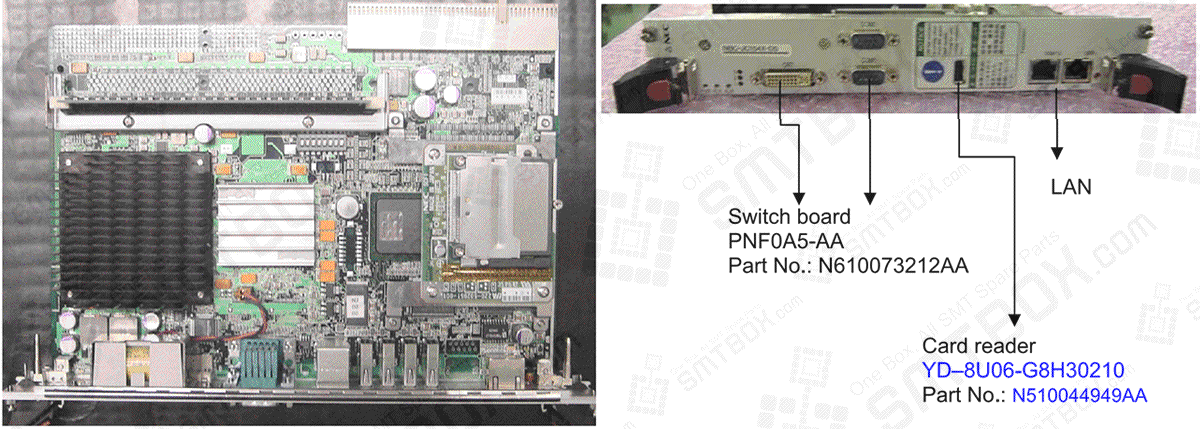
Name: Compact PCI board computer (Model: NBC-JC154X-D5// Part No.: N510029992AA) Basic specifications CPU: Intel Celeron M Processor Main Memory: DIMM 256MB CF card: 128MB x 2 pcs. Switch board PNFOA5-AA Part No.: N610073212AA Card reader YD-8U06-G8H30210 Part No.: N510044949AA LAN NOTED Do not replace the battery when power is ON. Doing so can cause electric… Continue reading about Compact PCI Board N510029992AA on Panasonic NPM SMT Machine
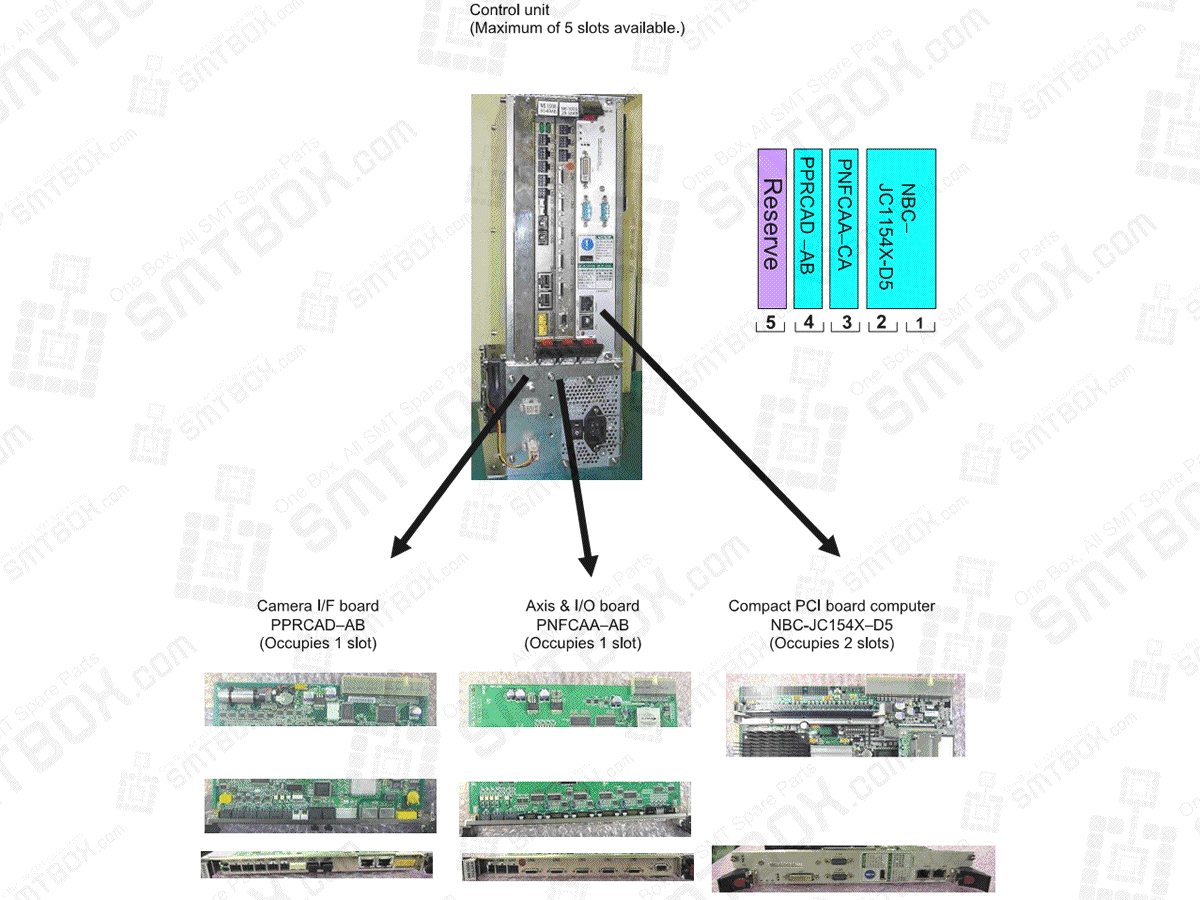
Control Unit Name: Control unit (Model: PBXCAB-AA Part No.: N610067516AB) The cabinet consists of the following control elements: Power Supply: PCSF-200P-X253. Part No.: N510037010AA Fan: 109P0812HHD04. Part No.: N610078579AA Backplane board: NBC-7153-01. Part No.: N510037011AA
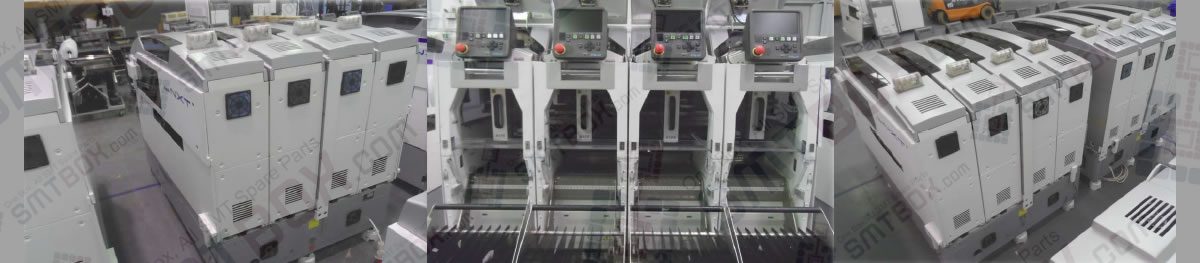
By following the procedures below, all of the feeders for the selected machine displays. In addition, if a parts out warning occurs, these warnings are also displayed in the Parts Status screen for all machines for which the user is registered. 1. Start the Fuji Information Terminal and tap the Windows mark to display the… Continue reading about 8.6.2 Using Kit Handy of 8. Fujitrax Verifier on FUJI NXT